 |
|
|
||||

Overview The e-learning industry is very dynamic so innovative technologies are constantly being introduced. Many new features and components have contributed to a new dimension of e-learning.
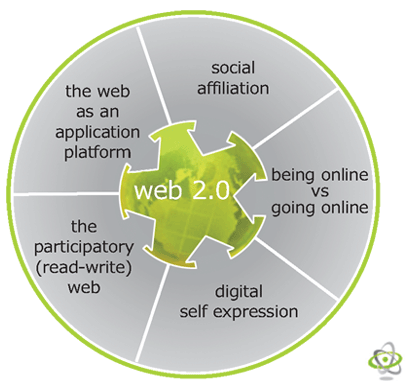
The term "Web 2.0" refers to the ever-changing web designs that aim to enhance collaboration and discussion through a creative channel. "Web 2.0" features can be used in the classroom in order to enhance teamwork and in order to make lessons more engaging. Technologies such as social networking websites, wikis, communication widgets, and tools that support collaborative and shared learning, collectively contribute to the new adoption of Web 2.0. We have comprised a list of tools that can be used in schools to ensure collaborative learning through discussions and knowledge sharing among students. Teachers should also use these tools in order to coordinate with other teachers, students, and parents. Instructors are encouraged to use these technologies for administrative aids and knowledge management.
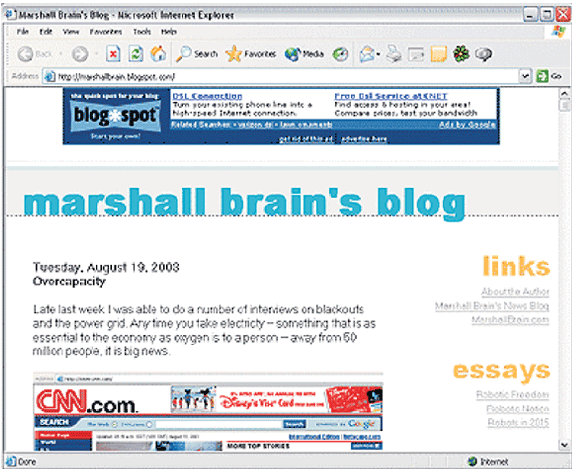
A blog (derived from "Web log") is a website where a user can create numerous entries. It is similar to an online journal. Students can write their own entries, link to other examples on the web, upload videos, and comment on other student's blogs. Teachers can create a private community so students can share with one another while maintaining privacy. Teachers can use blogs as an online journal tool or they can use it as a way for students to answer specific questions. Blogs are a form of asynchronous discussion and teachers have the ability to directly comment on student's blogs. Teachers and Blogging Blogs can aid teachers in course management and create an organized platform for a class to meet online. Teachers can publish information such as:
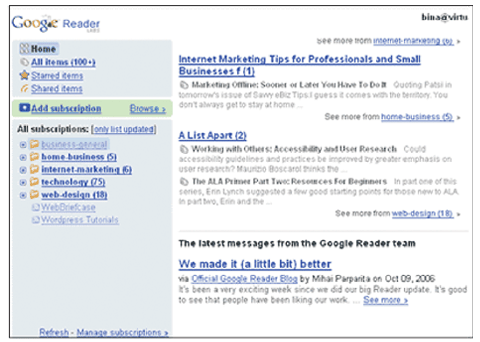
In a collaborative leaning system, wikis allow students to log in and edit a project assignment, leave comments for each other (or the team) and see the transformation of collaborative writing as it occurs. Similarly, wikis help teachers in tracking changes made to the project/assignment; RSS feeds (or similar notifications) ensure this task. RSS Feeds /Syndication RSS stands for Rich Site Summary or Real Simple Syndication.
The innovative feature of RSS Feeds is that it generates coded pages (called weblogs under appropriate subject lines) from a vast pool of websites; readers, instead of searching each and every blogs, can access a pool of information from these weblogs, therefore the name "Real Simple Syndication." RSS Feeds Aggregators Aggregator, a software, capable of collecting feeds (as per search keys entered by teacher) relevant to instruction curriculum, is of immense utility to a teacher as he/she:
The difference between Podcast and RSS is that Podcast is a higher order feature with audio and video utilities.
How to listen to podcasts? Listening to podcasts requires RSS technology, which aggregates relevant multimedia content and transfers it to the listener's personal computer. On his turn, the listener can smoothly transfer the content to an MP3 player (iPod or Personal digital assistant (PDA) for convenient listening. How to create a podcast? Following are the steps in teachers and students can simply create podcasts:
|
|